A transparent, comprehensive guide to understanding DaaS pricing — beyond the monthly fee
Introduction: The Sticker Price Is Just the Beginning
When businesses start evaluating virtual desktop solutions, the first thing they look at is the monthly per-seat price. It's understandable — pricing is visible, comparable, and easy to plug into a budget spreadsheet. But here's the problem: the monthly subscription fee represents only a fraction of what you'll actually spend — and save — when you move to a cloud-based virtual desktop environment.
This guide is designed to give business owners, finance leaders, and IT decision-makers a complete picture of what virtual desktops actually cost — and more importantly, what they save you. By the end, you'll have a framework you can use to build your own total cost of ownership (TCO) analysis and make a confident purchasing decision.
Step 1: Calculate Your Current Hardware Costs
Every physical desktop or laptop your company owns comes with ongoing costs that are easy to undercount. Start by tallying your hardware refresh cycle. Most businesses replace desktops every 3–5 years. If you have 50 employees and spend an average of $1,200 per machine, that's $60,000 every four years — or $15,000 per year — just to keep hardware current.
But don't stop there. Add in peripherals (monitors, keyboards, docking stations), warranties and repair costs, shipping and deployment labor, and asset tracking overhead. For a 50-person team, these costs can easily add another $5,000–$10,000 annually. With virtual desktops, your end users can work from any device — including older machines or thin clients that cost a fraction of a full workstation — dramatically reducing this line item.
Step 2: Factor In IT Labor and Support
IT support costs are one of the most underestimated expenses in traditional desktop environments. When you manage physical machines, someone has to provision new devices, push software updates, troubleshoot issues remotely or in person, manage security patches, and handle offboarding when employees leave.
Industry research suggests that IT teams spend 20–30% of their time on endpoint management tasks. If your IT team costs $120,000 per year in salary and benefits, that's $24,000–$36,000 annually going toward tasks that a managed virtual desktop solution essentially handles automatically. With a DaaS provider like vDesk.works, updates, patches, and provisioning happen centrally — often reducing your IT support burden by 40–60%.
Step 3: Account for Software and Licensing
Software licensing is another area where the math gets complicated. With physical desktops, you typically pay per device. With virtual desktops, many vendors offer per-user licensing that follows the employee — not the machine. This matters enormously for businesses with shift workers, contractors, or employees who work across multiple devices.
Additionally, some DaaS solutions include Microsoft 365 licensing, antivirus, and backup tools as part of their bundle. When comparing costs, always check what's included in the subscription versus what you'll need to purchase separately. A seemingly cheaper provider might require you to add tools that push the real cost above a more all-inclusive option.
Step 4: Don't Forget Downtime and Security Costs
Downtime is expensive. Research from IDC pegs the average cost of unplanned downtime for mid-sized businesses at thousands of dollars per hour when you factor in lost productivity, missed deadlines, and customer impact. Physical desktops are vulnerable to hardware failures, ransomware attacks, and local outages. Virtual desktops run in the cloud with built-in redundancy, meaning a failed device never means lost work — employees simply log in from another device.
Security breaches are even costlier. The average cost of a data breach for small and mid-sized businesses has climbed into the hundreds of thousands of dollars when legal, remediation, and reputational costs are included. Virtual desktops keep data off local machines entirely, significantly reducing your attack surface and your exposure.
Step 5: Build Your True Cost Comparison
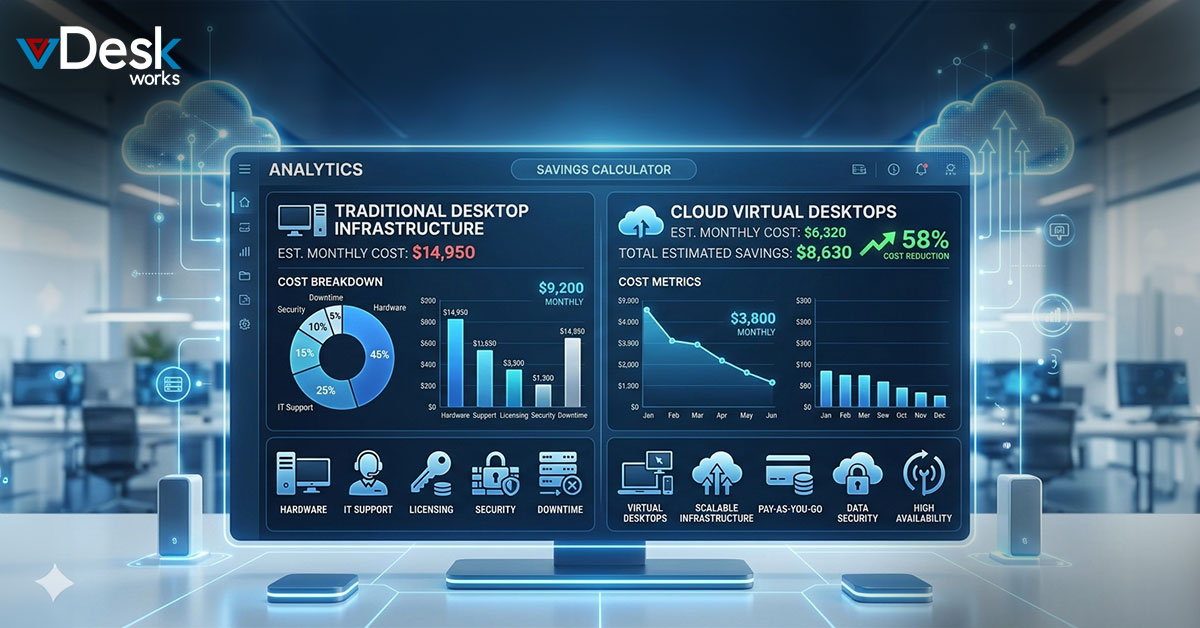
Here's a simplified framework to get you started. For your current environment, add up: annual hardware refresh costs, IT labor allocated to endpoint management, software licenses per device, security tools, and estimated downtime costs. Then build a comparable estimate for a virtual desktop environment: per-seat monthly fee (multiply by 12), any additional licensing not included, and any remaining in-house IT costs.
Most businesses find that when they do this math honestly, the gap between "virtual desktops seem expensive" and "virtual desktops save us money" closes quickly — and often reverses entirely within the first 12–18 months. The key is being rigorous about what you're actually spending today, not just what shows up as a line item in your IT budget.
Making the Decision with Confidence
The best virtual desktop vendors won't just hand you a price — they'll help you build this analysis. At vDesk.works, we work with businesses to understand their full cost picture before recommending a solution. We believe transparency builds trust, and we know that customers who understand the real math become long-term partners.
If you'd like help running these numbers for your specific situation, our team is available for a no-pressure consultation. We'll walk through your current environment, identify where you're overspending, and show you exactly what a move to vDesk.works would look like — line by line.
Ready to get started? Visit vDesk.works to explore our virtual desktop solutions and speak with a specialist today.
 Emma Carson