As businesses continue to support remote employees, hybrid teams, contractors, and Bring Your Own Device (BYOD) environments, traditional network security models are becoming harder to manage. Employees may connect from home networks, personal laptops, mobile devices, public Wi-Fi, and different locations around the world.
This creates a simple but important security question: How can businesses provide employees with the access they need without automatically trusting the device or network they are using?
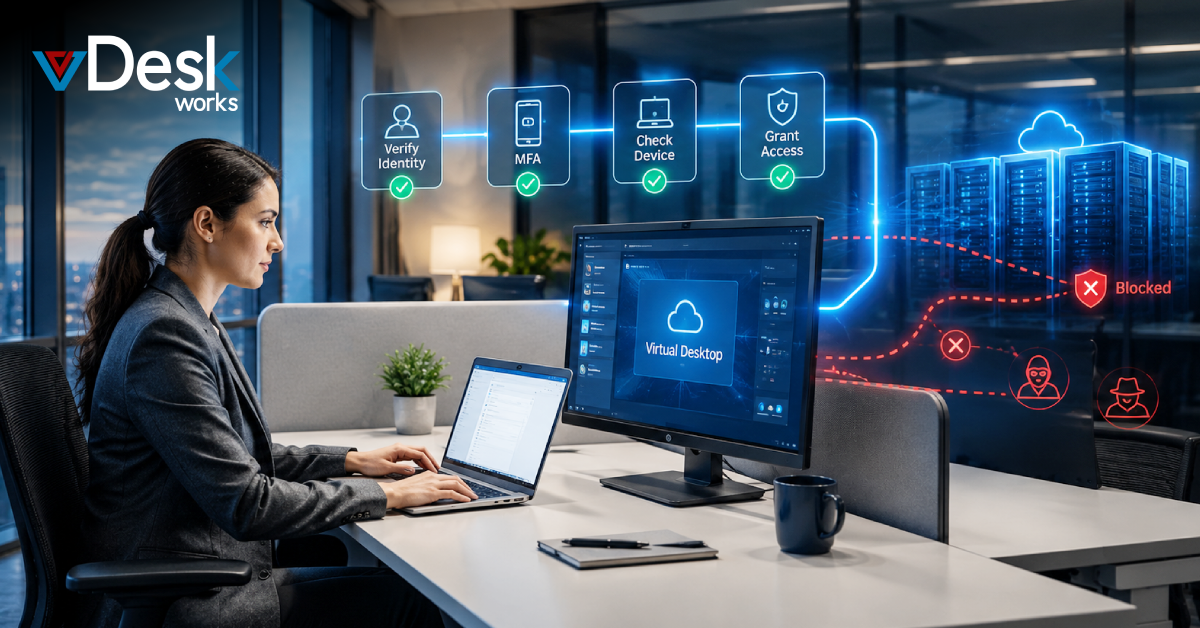
This is where the Zero-Trust security model becomes important. Instead of assuming that a user or device is safe because it is inside the company network, Zero Trust requires every access request to be verified and limited according to business needs.
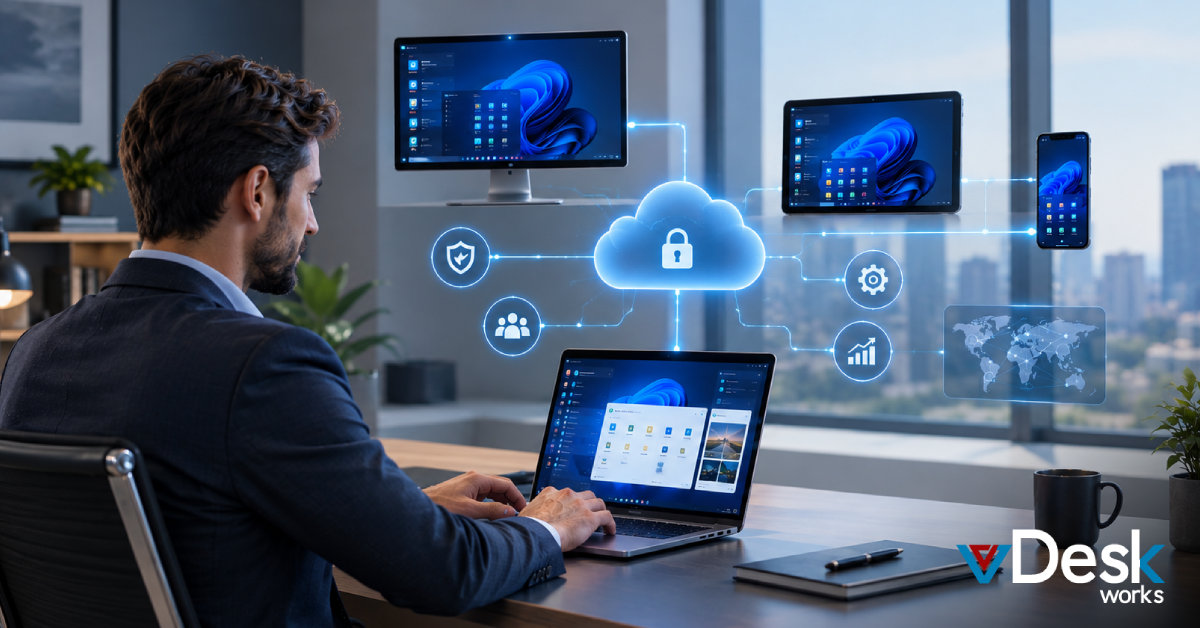
A virtual desktop solution can make this approach easier by moving applications, data, and computing resources into a centrally managed virtual environment. Employees can access their workspaces remotely, while businesses maintain greater control over data, permissions, security policies, and user sessions.
What Is Zero-Trust Security?
Zero Trust is a security approach based on the idea of "never trust, always verify."
In a traditional security model, users inside the corporate network may receive broad access once they successfully log in. However, modern businesses cannot always assume that an internal user, device, or network is safe.
Zero Trust takes a different approach. Access is continuously evaluated based on factors such as:
- User identity
- Authentication status
- Device condition
- User role
- Application requirements
- Location
- Security policies
- Requested resources
The goal is to provide users with only the access they need, rather than giving them unnecessary access to the wider IT environment.
How Virtual Desktops Support Zero-Trust Security
A virtual desktop moves the employee's main working environment away from the physical endpoint.
Instead of running applications and storing business files directly on a personal computer, employees connect to a virtual desktop hosted in a centralized environment.
The employee sees and interacts with the desktop remotely, while the applications and business data remain within the managed virtual infrastructure.
This creates a stronger separation between the user's device and the company's data.
1. Keep Business Data in a Centralized Environment
Data isolation is one of the biggest advantages of virtual desktops.
Employees can use their work applications without requiring every business file to be stored permanently on their local computer.
For organizations handling sensitive financial information, customer records, intellectual property, or confidential documents, this can reduce exposure associated with unmanaged endpoints.
If an employee loses a personal laptop, disabling their virtual desktop access can help prevent continued access to the company's centralized workspace.
2. Apply Least-Privilege Access
Zero Trust is not about simply verifying users. It is also about limiting what they can access.
For example, an accounting employee may need access to financial applications but have no reason to access engineering systems.
Similarly, a contractor may require access to one project application without needing access to the company's entire network.
With centralized virtual desktops, administrators can create environments based on:
- Job role
- Department
- Project
- User group
- Application requirements
This makes it easier to follow the least-privilege principle and provide users with only the resources required for their work.
3. Strengthen User Authentication
A username and password alone may not provide enough protection for modern remote work.
Virtual desktop environments can work with stronger authentication controls such as Multi-Factor Authentication (MFA).
With MFA enabled, users may need an additional verification step before accessing their virtual workspace.
This provides another security layer if a password is stolen or exposed.
vDeskWorks supports MFA as part of its security approach, helping organizations add stronger identity verification before users access their virtual desktops.
4. Reduce Endpoint Dependency
A major benefit of a virtual desktop solution is that the user's physical device does not have to perform all the computing work.
Employees can access their workspace from supported laptops, desktops, tablets, or other devices, depending on the organization's configuration.
This can be particularly useful for:
- Remote employees
- Contractors
- Temporary workers
- Global teams
- BYOD environments
- Hybrid organizations
The company can focus its security controls on the centrally managed workspace rather than relying entirely on the security of every employee's personal device.
5. Make Security Updates Easier to Manage
Managing security patches across hundreds or thousands of individual computers can become a major IT task.
Some employees may delay updates. Others may use different operating systems or hardware configurations. Remote devices may also remain offline for extended periods.
A centralized virtual desktop environment provides IT teams with greater control over desktop configurations and application environments.
Administrators can standardize configurations and manage updates more efficiently instead of manually maintaining every physical workstation.
This can help reduce configuration differences between employees and create a more consistent security environment.
6. Reduce the Risk of Lateral Movement
Lateral movement occurs when attackers gain access to one system and then attempt to move deeper into an organization's environment.
A traditional endpoint-focused environment can provide multiple paths for attackers if devices have broad network access.
Zero Trust aims to reduce this risk by limiting access between systems.
Virtual desktops can support this approach by providing users with controlled access to specific applications and workspaces rather than automatically connecting their personal device to the wider corporate network.
If an account or endpoint is compromised, carefully configured access restrictions can make it more difficult for an attacker to reach unrelated systems.
How vDeskWorks Supports a Zero-Trust Approach
vDeskWorks provides a centralized virtual desktop environment designed to help organizations manage remote workspaces while maintaining stronger control over users, applications, and data.
Its security-focused capabilities include:
- Multi-Factor Authentication: Adds an additional identity verification step before users access their virtual workspace.
- Centralized Management: Gives administrators greater control over virtual desktops, users, policies, and resources.
- Data Isolation: Keeps applications and business information within the managed virtual environment rather than depending entirely on local endpoints.
- Device Flexibility: Allows employees to access their work environment from supported devices without requiring a high-powered physical workstation.
- Automatic Desktop Management: Organizations can configure virtual desktop environments to better manage inactive or unused resources.
- Rotating IP Capabilities: vDeskWorks can use rotating IPs as an additional network security measure to make server identification more difficult.
These capabilities can help organizations build a security strategy around identity, controlled access, and centralized resources.
Conclusion
Zero Trust requires businesses to verify users, limit access, protect data, and avoid unnecessary trust in devices or networks. For organizations with remote and hybrid employees, achieving these goals can be difficult when applications and sensitive information are distributed across hundreds of physical endpoints.
A virtual desktop solution can simplify this challenge by centralizing desktops, applications, and business resources while giving IT teams greater control over access and security policies.
With vDeskWorks, businesses can provide employees with flexible remote workspaces while supporting stronger authentication, centralized management, data isolation, and controlled access.
 Emma Carson