As more businesses move toward Cloud PC environments, one question keeps coming up: should you choose a CPU-powered virtual desktop or invest in GPU acceleration?
At first glance, the answer seems simple. GPUs sound more powerful, so they must be better — right?
Not exactly.
The reality is that CPU and GPU Cloud PCs are designed for completely different workloads. Choosing the wrong environment can either leave employees struggling with performance issues or lead businesses to overspend on resources they don’t actually need.
The key is understanding how each environment works and where it fits best within modern business operations.
Why CPU-Based Cloud PCs Still Power Most Business Workflows
For most organizations, CPU-powered Cloud PCs remain the foundation of day-to-day operations.
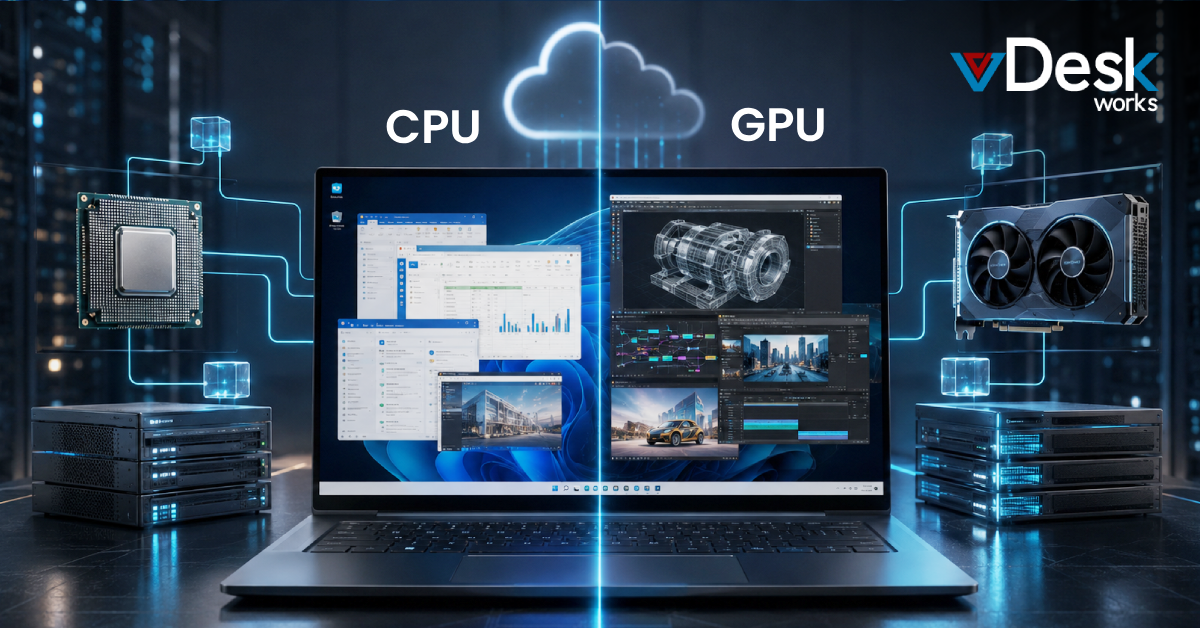
That’s because traditional business applications don’t require advanced graphical processing. Tasks like managing emails, using Microsoft Office, accessing CRMs, working on spreadsheets, handling ERP platforms, or attending virtual meetings rely far more on stable processing performance than graphical acceleration.
CPUs are specifically designed to handle sequential operations efficiently, which makes them ideal for general productivity environments. They keep operating systems responsive, applications stable, and workflows consistent without demanding excessive infrastructure resources.
This is why industries like accounting, administration, customer support, healthcare operations, and business management often rely heavily on CPU-based Cloud PC environments. For these teams, the priority is accessibility, reliability, and cost efficiency rather than graphics-intensive performance.
And in many cases, a properly optimized CPU-powered Cloud PC delivers everything employees actually need without introducing unnecessary costs.
Where GPU-Powered Cloud PCs Make a Massive Difference
GPU-powered Cloud PCs become essential when workloads shift from productivity to performance-heavy visual computing.
Applications like Autodesk Revit, AutoCAD, Blender, Adobe Premiere Pro, Unreal Engine, AI modeling platforms, and 3D simulation tools process enormous amounts of visual and parallel data. Traditional CPU environments often struggle to handle these tasks smoothly because they aren’t designed for large-scale graphical processing. (techtarget.com)
GPUs work differently from CPUs. Instead of processing tasks one at a time, they can handle thousands of calculations simultaneously, which dramatically improves rendering speed, graphics responsiveness, visualization performance, and real-time interaction with complex models. (arxiv.org)
For industries like architecture, engineering, gaming, media production, animation, and AI development, this level of acceleration isn’t optional anymore — it directly impacts productivity.
Without GPU support, users often experience laggy rendering, slow model navigation, unstable frame rates, and delays that interrupt creative or technical workflows.
That’s why GPU-powered Cloud PCs are becoming increasingly common across industries handling large-scale visual workloads.
Why Businesses Are No Longer Choosing Just One
Interestingly, many businesses are moving away from the idea that infrastructure has to be entirely CPU-based or GPU-based.
Modern Cloud PC environments are becoming more hybrid.
In many organizations, finance teams, administrative staff, and operational employees continue working on CPU-powered virtual desktops, while designers, engineers, and creative professionals use GPU-accelerated environments tailored for heavier workloads.
This approach creates a far more practical balance between performance and cost.
Instead of investing in expensive GPU infrastructure for every employee, businesses allocate high-performance resources only where they’re actually needed. At the same time, standard users continue working efficiently within lightweight CPU environments that are easier to scale and maintain.
Cloud infrastructure also makes this flexibility easier than ever before because organizations can scale compute resources dynamically without purchasing physical workstation hardware for every role.
Why vDeskWorks Cloud PC Supports Both Approaches?
This is exactly where vDeskWorks Cloud PC becomes valuable for modern businesses managing diverse workloads.
Instead of forcing organizations into a single infrastructure model, vDeskWorks supports both CPU-powered and GPU-accelerated Cloud PC environments depending on business requirements.
Teams handling everyday operations can work within efficient CPU-based cloud desktops optimized for productivity and accessibility. At the same time, departments working with BIM, CAD, video editing, AI processing, or advanced visualization can access GPU-powered environments designed for demanding graphical performance.
What makes this especially practical is the flexibility to scale resources as workloads evolve. Businesses don’t need to overinvest in expensive hardware upfront or maintain oversized infrastructure for occasional peak workloads.
Instead, they gain a Cloud PC environment that aligns performance, scalability, and operational efficiency together.
Final Thoughts
The CPU vs GPU conversation is not really about which technology is better overall. It’s about understanding the kind of work your teams actually perform every day.
CPU-powered Cloud PCs continue to be ideal for standard business productivity and operational workflows. GPU-powered environments become essential when businesses rely on graphics-intensive applications, rendering, AI processing, simulations, or large-scale visualization tasks.
As Cloud PC adoption continues growing, more organizations are realizing that the smartest approach is not choosing one over the other — but building flexible environments where both can coexist based on workload demands.
Because modern workspaces are no longer defined by hardware alone. They’re defined by how effectively performance aligns with the way people actually work.
 Emma Carson