A major IT outage does not give a business much time to prepare.
A server can fail. A ransomware incident can disrupt systems. A natural disaster can make an office inaccessible. Hardware problems, network failures, or other unexpected incidents can prevent employees from accessing the applications and files they need to perform their jobs.
For businesses with hundreds of employees, recovering a complete office environment can traditionally take considerable time. IT teams may need to replace hardware, rebuild servers, reinstall applications, restore files, configure user accounts, and reconnect employees before normal operations can resume.
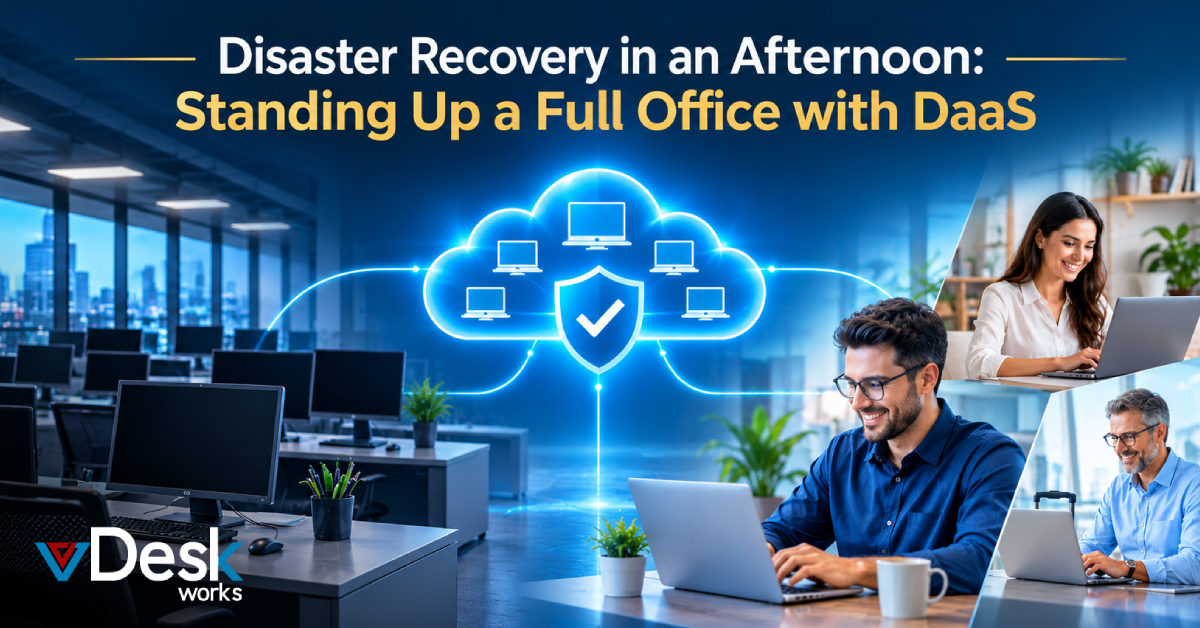
Modern Disaster Recovery with DaaS provides another approach.
With Desktop as a Service (DaaS), businesses can maintain virtual desktop environments in the cloud and provide employees with access to their workspaces from supported devices. When a physical office or primary IT environment becomes unavailable, employees can potentially reconnect to their virtual workspaces without waiting for every physical workstation to be rebuilt.
For organizations that depend on continuous digital operations, this can make DaaS an important component of a broader business continuity strategy.
How DaaS Changes Disaster Recovery
Desktop as a Service moves the employee desktop environment away from the physical office.
Applications, desktop configurations, and business resources can be hosted within a cloud infrastructure. Employees then connect to their virtual desktops using supported devices.
This creates an important advantage during an outage: the employee's physical workstation does not necessarily have to be the foundation of the recovery process.
If the office becomes unavailable, employees can potentially connect to their cloud-hosted workspaces from another location.
The goal is not simply to restore individual computers. It is to restore access to the digital workplace.
Disaster Recovery in an Afternoon: A Practical Four-Hour Model
The exact recovery time depends on the organization's infrastructure, preparedness, applications, user count, network environment, and disaster-recovery design. However, a preconfigured DaaS environment can support a structured rapid-recovery process.
Hour One: Contain, Assess, and Prioritize
The first stage is understanding what happened and determining which systems and users require immediate attention.
IT teams can assess:
- Which infrastructure is unavailable
- Which applications are affected
- Whether business data remains accessible
- Which employees need immediate access
- Which systems are mission-critical
- Whether the incident involves security concerns
This stage is important because recovery should begin with the systems that have the greatest operational impact.
For example, a call center may prioritize customer service applications, communication tools, and CRM access, while an accounting business may prioritize financial applications and document systems.
Hours Two and Three: Provision the Virtual Office
Once the recovery strategy is activated, the organization can begin bringing virtual desktops and applications online.
With a prepared DaaS Disaster Recovery environment, IT teams do not necessarily have to rebuild every employee's physical workstation.
Instead, virtual desktop environments can be provisioned or activated within the cloud infrastructure.
Employees can then connect to their assigned workspaces using supported laptops, thin clients, tablets, or other compatible devices.
This can allow organizations to restore important functions without waiting for the physical office to become operational again.
The recovery environment can include the applications employees use regularly, such as:
- CRM platforms
- Office productivity applications
- Accounting software
- Communication tools
- Customer service applications
- Business databases
- File management systems
The exact applications available depend on the organization's configuration and licensing.
Hour Four: Apply Security Controls and Verify Operations
Rapid recovery should not mean ignoring security.
Before employees fully resume work, IT teams need to verify that appropriate authentication, permissions, network controls, and security policies are active.
A recovery environment can be checked for:
- Multi-factor authentication
- User permissions
- Group policies
- Application availability
- Data access
- Network connectivity
- Backup status
- Security monitoring
- User-session functionality
Once the environment has been tested, employees can begin connecting to their virtual workspaces.
This approach creates a structured transition from disruption to controlled digital operations.
Protecting Data During Disaster Recovery
Disaster recovery is not only about restoring applications. Businesses also need to protect the information being recovered.
vDeskWorks supports a centralized virtual desktop approach in which business applications and data can remain within the hosted environment rather than being permanently stored on employee devices.
Cloud-Hosted Data
Business files, customer information, and applications can remain within the centralized virtual environment.
This can reduce dependence on individual physical computers and provide IT teams with a central location for managing access and data.
Device Awareness
Device-related information can help administrators identify unusual access activity.
Organizations can use security policies to monitor where and how users connect and investigate unexpected access patterns.
Session Isolation
Virtual desktop environments can provide individual user sessions that are separated from other users.
This separation can help reduce the potential impact of threats originating from an endpoint device.
Virtual desktops can also be configured to reset or be recreated according to the organization's security and operational policies.
Centralized Access Management
IT administrators can manage user access through centralized controls.
If an employee's laptop is lost during an outage or a user's role changes, administrators can revoke access without necessarily having to retrieve or physically reconfigure the device.
Authentication and Backup
Security measures such as MFA, firewalls, and automated backups can form part of the broader recovery architecture.
These controls can help protect access and support restoration when unexpected incidents occur.
Azure Disaster Recovery and Business Continuity
vDeskWorks also supports an Azure Disaster Recovery Solution approach for organizations using Microsoft Azure infrastructure.
Azure Site Recovery is designed to help organizations maintain business continuity by replicating workloads from a primary environment to a secondary recovery location.
In a disaster scenario, workloads can be failed over to the secondary environment so users can continue accessing required applications and resources.
Once the primary environment has been restored, systems can be failed back according to the organization's recovery plan.
This type of architecture provides a structured approach to protecting workloads against infrastructure disruptions.
How vDeskWorks Supports Rapid Recovery
vDeskWorks combines Desktop as a Service, virtual desktop infrastructure, and cloud-based recovery capabilities to help businesses maintain access to digital workspaces.
Rather than rebuilding every physical workstation after an incident, organizations can use a centrally hosted virtual desktop model as part of their continuity architecture.
Employees can connect to their virtual workspaces from supported devices, while IT teams maintain centralized control over desktop environments, applications, users, and access policies.
This approach can help businesses move from a physical-office dependency toward a more flexible digital workplace.
Conclusion
A disaster does not necessarily have to mean that an entire workforce becomes unable to work.
With a properly planned Virtual Desktop Disaster Recovery strategy, businesses can move critical desktop environments into the cloud and provide employees with an alternative way to access applications and workspaces when their primary infrastructure becomes unavailable.
DaaS Disaster Recovery can help reduce dependence on physical workstations, support remote business continuity, and provide a structured path toward restoring employee productivity.
With vDeskWorks and supported Azure disaster recovery capabilities, businesses can build a recovery environment designed around their applications, users, data, security requirements, and continuity objectives.
The real value of cloud-based disaster recovery is not simply recovering technology. It is helping the business recover its ability to operate.
 Emma Carson