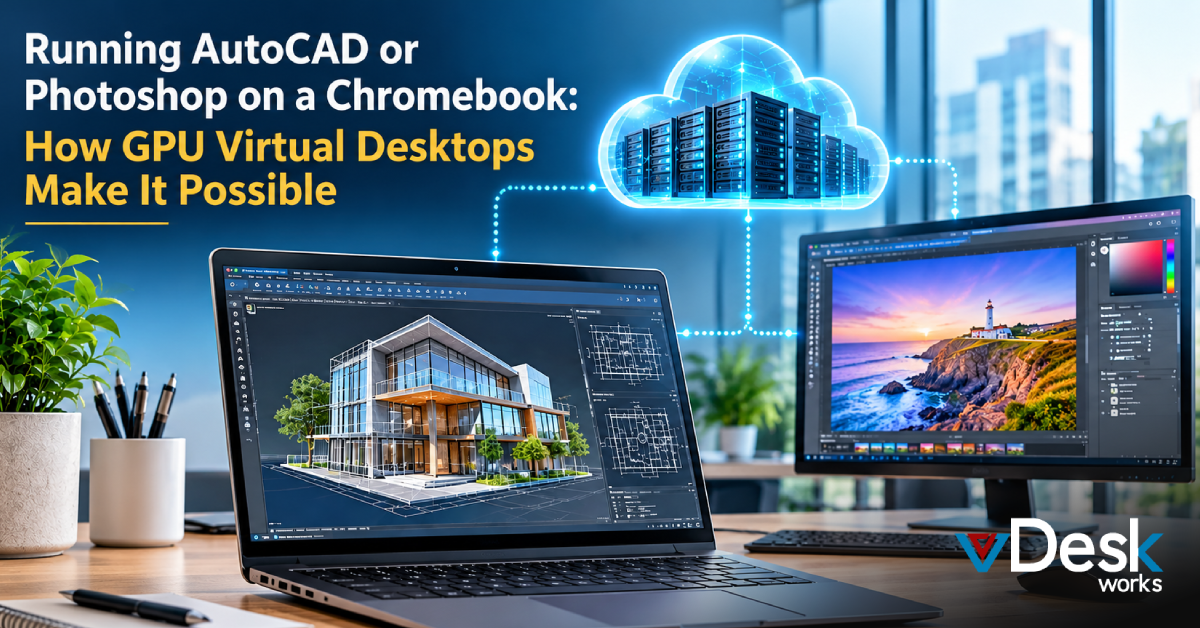
Businesses today are no longer limited to traditional desktop computers when choosing devices for their employees. Lightweight devices such as Chromebooks have become popular because they are affordable, easy to manage, portable, and suitable for web-based work. However, a challenge appears when employees need to use demanding professional applications such as AutoCAD or Adobe Photoshop.
These applications require considerably more processing and graphics power than a typical Chromebook can provide. This creates a gap between the convenience of lightweight devices and the performance required by designers, architects, engineers, marketing teams, and creative professionals.
GPU Virtual Desktops provide a way to close this gap. Instead of forcing the Chromebook to process complex CAD models, high-resolution images, 3D designs, or graphical workloads, the applications run on powerful remote infrastructure. The Chromebook simply connects to and displays the remote workstation.
For businesses, this approach can provide access to professional applications without requiring every employee to have an expensive physical workstation.
Why Running AutoCAD or Photoshop on a Chromebook Can Be Difficult
Chromebooks are designed around ChromeOS and are primarily optimized for browser-based applications, cloud services, and lightweight workloads. Their portability and simplicity are major advantages, but they are not generally designed as high-performance engineering or graphics workstations.
Professional applications such as AutoCAD and Photoshop can place significant demands on a computer.
AutoCAD workloads may involve:
Detailed 2D drawings and large project files
3D modeling and visualization
Complex assemblies and design calculations
High-resolution rendering
Multiple design layers and objects
Photoshop can similarly require substantial resources when users work with large files, multiple layers, filters, effects, smart objects, and high-resolution images.
A typical Chromebook may not have the CPU, RAM, storage, operating-system compatibility, or dedicated GPU required to handle these workloads locally. Even when lightweight or web-based versions of applications are available, they may not provide the complete desktop experience that professional users require.
This is where a Chromebook Virtual Desktop can become useful.
How GPU Virtual Desktops Change the Equation
A GPU Virtual Desktop separates the device used to access an application from the hardware that actually runs it.
The Chromebook does not need to perform all the heavy processing itself. Instead, a virtual Windows or Linux workstation operates in a remote data center or cloud environment. That workstation can be equipped with powerful CPUs, large memory allocations, and dedicated GPU resources.
The user connects to this environment remotely and interacts with the applications almost as if they were installed on a local workstation.
This model is also known as GPU VDI or a Cloud Workstation.
1. GPU Resources Handle Demanding Graphics Workloads
Standard virtual machines may depend heavily on virtualized CPU resources. For graphics-intensive applications, however, GPU acceleration can make a significant difference.
A GPU-backed virtual desktop can provide access to dedicated or virtualized GPU resources, including NVIDIA vGPU-based configurations. These resources are designed to handle graphical workloads such as 3D visualization, image processing, rendering, and accelerated application interfaces.
This means an architect can work on a detailed AutoCAD model while the cloud infrastructure handles the demanding graphics workload.
Similarly, a designer can work with large Photoshop projects without asking the Chromebook to perform all the intensive processing.
2. Applications Run Remotely, Not on the Chromebook
One of the most important advantages of this architecture is that the demanding application does not have to be installed and executed directly on ChromeOS.
Instead, AutoCAD or Photoshop runs within the remote virtual workstation.
The Chromebook functions primarily as the access device. Users can open a secure browser-based interface or compatible client, authenticate themselves, and connect to their virtual desktop.
This approach is particularly useful for organizations that want employees to use lightweight devices while still providing access to professional desktop software.
3. The User Receives a Streamed Desktop Experience
The remote workstation processes the application activity and sends the visual output back to the Chromebook.
This process is often referred to as pixel streaming or remote display technology. Rather than transferring every computational task to the Chromebook, the remote environment handles the workload and streams the resulting visual information to the user's screen.
With a suitable network connection, the experience can feel similar to working directly on a high-performance workstation.
AutoCAD on Chromebook: A Practical Business Use Case
Consider an architectural or engineering company that has employees working from offices, homes, client locations, and project sites.
Providing every employee with a high-end CAD workstation can become expensive. It also creates hardware-management challenges when employees need to work remotely.
With AutoCAD on Chromebook through a GPU virtual desktop, the company can provide employees with lightweight devices while keeping the demanding CAD environment in a centrally managed infrastructure.
Employees can access their virtual workstation when they need to:
Review engineering drawings
Modify CAD files
Work with 2D or 3D designs
Review project models
Collaborate with remote teams
Access the same professional applications from different locations
The Chromebook becomes the access point rather than the workstation itself.
Photoshop on Chromebook for Creative Teams
The same concept can benefit marketing agencies, graphic design teams, photographers, and businesses producing digital content.
Running Photoshop on Chromebook through a GPU-enabled virtual desktop allows users to access a more complete desktop environment without depending on the Chromebook's local hardware.
For businesses, this can support workflows involving:
High-resolution image editing
Multi-layer Photoshop projects
Graphic design
Digital advertising assets
Product photography
Marketing creatives
Brand design work
Instead of purchasing powerful computers for every occasional or remote user, organizations can provide access to centralized virtual workstations according to business requirements.
How vDeskWorks Enables AutoCAD and Photoshop on Chromebooks
vDeskWorks provides a GPU Virtual Desktop approach that allows users to access powerful virtual workstations through an HTML5-compatible browser experience.
Instead of installing resource-heavy applications directly on a Chromebook, users can connect to a cloud-hosted desktop where the required computing resources are available.
This can allow businesses and individual professionals to use demanding applications such as AutoCAD and Photoshop while retaining the portability and simplicity of Chromebook devices.
The virtual desktop environment can also support common workplace requirements such as file access and compatible local peripherals, helping users maintain a more familiar desktop workflow.
Conclusion
The rise of lightweight devices does not mean businesses have to compromise on access to professional software. A Chromebook may not have the hardware or operating environment required to run demanding applications such as AutoCAD and Photoshop locally, but that limitation can be addressed by moving the computing workload to a powerful remote environment.
GPU Virtual Desktops, GPU VDI, and Cloud Workstations make this possible by placing the processing and graphics workload on capable remote infrastructure while allowing users to interact with the resulting desktop from a lightweight device.
For businesses managing distributed teams, creative professionals, architects, engineers, and organizations looking to balance mobility with computing performance, this model provides another way to deliver workstation-level applications without making every endpoint a high-end workstation.
With vDeskWorks, organizations can explore a Virtual Desktop Solution that brings GPU-backed computing to users through a flexible cloud desktop experience, even when their primary device is a Chromebook.
 Emma Carson