The modern workplace is no longer tied to a single office, computer, or location. Employees may work from corporate offices, homes, client locations, coworking spaces, or while traveling. At the same time, businesses are expected to provide consistent access to applications, files, business systems, and company resources without making security and IT management more complicated.
This is where a Virtual Desktop Service USA can become an important part of a modern IT strategy.
Instead of installing and maintaining the complete computing environment on every physical device, virtual desktop technology hosts the desktop environment in a centralized infrastructure. Users can then access their work environment remotely through supported devices.
The idea is simple, but the business implications are significant.
A well-designed virtual desktop environment can help organizations centralize IT management, support distributed teams, simplify device deployment, improve control over business data, and scale computing resources as workforce requirements change.
However, not every virtual desktop provider works the same way. Pricing structures, management responsibilities, infrastructure options, operating systems, performance, security capabilities, and application compatibility can vary significantly.
That makes provider selection an important business decision rather than simply a technology purchase.
What Should Businesses Look for in Virtual Desktop Services in the USA?
Choosing a Virtual Desktop Provider USA requires businesses to look beyond the monthly price shown on a website.
The right solution should match the way employees actually work.
For example, a company with hundreds of employees using Microsoft 365 for standard productivity may have very different requirements from an architecture firm running AutoCAD, an accounting organization handling sensitive financial information, or a call center supporting multiple shifts.
Before selecting a provider, businesses should examine:
- Number and type of users
- Applications employees need to run
- Windows or Linux requirements
- Graphics and GPU requirements
- Persistent versus non-persistent desktops
- Storage and backup requirements
- Security and access controls
- Data residency requirements
- Network latency and user locations
- Integration with existing cloud platforms
- IT management requirements
- Scalability
- Support and service availability
- Total cost rather than headline pricing alone
What Are the Major Virtual Desktop Services in the USA?
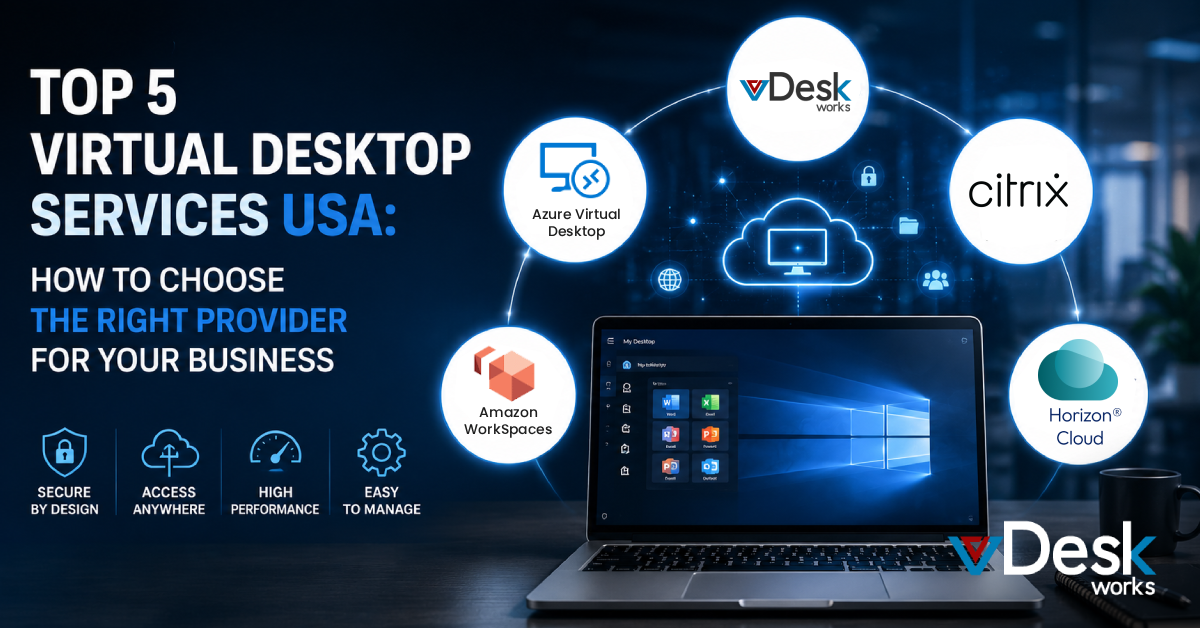
The U.S. market includes large cloud ecosystems as well as specialized DaaS providers. Five widely encountered platforms include vDeskWorks, Microsoft Azure Virtual Desktop, Amazon WorkSpaces, Citrix DaaS, Omnissa, and Horizon Cloud.
Each approaches desktop delivery somewhat differently.
vDeskWorks
vDeskWorks is a cloud-hosted Desktop-as-a-Service (DaaS) platform designed for businesses that need secure, scalable, and centrally managed virtual desktops. It supports access across Windows, Mac, Linux, mobile devices, and web browsers, along with GPU-enabled desktops for graphics-intensive applications. The platform also offers centralized IT management, session monitoring, automation, backup and recovery capabilities. Its flexible resource-based approach allows businesses to configure virtual desktops according to their requirements for CPU, RAM, storage, bandwidth, and performance, making it suitable for organizations with different types of users and workloads.is a cloud-hosted Desktop-as-a-Service (DaaS) platform designed for businesses that need secure, scalable, and centrally managed virtual desktops. It supports access across Windows, Mac, Linux, mobile devices, and web browsers, along with GPU-enabled desktops for graphics-intensive applications. The platform also offers centralized IT management, session monitoring, automation, backup and recovery capabilities. Its flexible resource-based approach allows businesses to configure virtual desktops according to their requirements for CPU, RAM, storage, bandwidth, and performance, making it suitable for organizations with different types of users and workloads.
Microsoft Azure Virtual Desktop
Azure Virtual Desktop (AVD) is Microsoft's cloud VDI platform and is closely connected with the wider Azure ecosystem. It supports Windows 10 and Windows 11 Enterprise multi-session scenarios and provides businesses with considerable control over the underlying Azure infrastructure.
Microsoft's current pricing documentation shows that AVD involves both user access rights and Azure infrastructure costs, including compute, storage, and networking. Organizations can use pay-as-you-go infrastructure or other Azure purchasing options.
This model can be particularly relevant for organizations that already have Microsoft licensing, Azure infrastructure, identity management, and Microsoft 365 investments.
However, AVD can require more planning and infrastructure management than a simpler managed DaaS offering.
Amazon WorkSpaces
Amazon WorkSpaces is AWS's managed virtual desktop service and supports a range of operating systems, workloads, and desktop configurations.
One of its distinguishing characteristics is its billing flexibility. WorkSpaces Personal offers AlwaysOn monthly pricing as well as AutoStop options that combine a monthly infrastructure fee with hourly usage. AWS therefore supports different consumption patterns rather than forcing every organization into a single billing model.
This can be useful for organizations that already operate heavily within AWS and want their desktop environment to align with their existing cloud infrastructure.
AWS also supports Windows and several Linux distributions, providing flexibility for organizations with mixed operating system requirements.
Citrix DaaS
Citrix DaaS has a long history in application and desktop virtualization and is designed for organizations with demanding application delivery and user-experience requirements.
Citrix's HDX technology is designed to improve the delivery of graphics, multimedia, unified communications, peripherals, and virtual applications across different network conditions. Citrix also supports desktop and application delivery across public cloud and on-premises environments.
This makes Citrix relevant to businesses with complex environments, demanding applications, hybrid infrastructure, or detailed application delivery requirements.
Citrix also provides security options such as Secure HDX and TLS/DTLS-based connectivity, depending on the configuration and edition used.
Omnissa Horizon Cloud
Omnissa Horizon Cloud focuses on virtual desktop and application delivery across cloud, hybrid, and multi-cloud environments.
Its current platform supports deployments across environments including Microsoft Azure, AWS-related infrastructure, on-premises vSphere, and OpenStack, with centralized cloud-based management.
This approach can be useful for enterprises that cannot or do not want to place every workload into a single public cloud.
Its flexibility, however, also means that deployment architecture and management requirements should be evaluated carefully before implementation.
Virtual Desktop Services: Why Pricing Can Be Difficult to Compare
One of the biggest mistake’s businesses make when comparing DaaS platforms is looking only at the advertised desktop price.
Virtual desktop pricing can contain several components.
Depending on the provider and architecture, businesses may pay for:
- Virtual CPU resources
- Memory
- Storage
- Operating system licensing
- User licenses
- Network usage
- Backup and recovery
- GPU resources
- Application licensing
- Management services
- Additional security capabilities
- Data transfer or infrastructure services
For example, Azure Virtual Desktop separates user access rights from the Azure infrastructure required to run the environment. Amazon WorkSpaces offers monthly and usage-based approaches depending on the desktop configuration.
Therefore, two providers can advertise similar-looking desktop prices while producing very different total costs after licensing, storage, support, and infrastructure requirements are considered.
Final Thoughts
The market for Virtual Desktop Services in the USA has evolved beyond simply providing remote access to a Windows desktop. Today's businesses are looking for a combination of flexibility, security, performance, scalability, manageable costs, and centralized administration.
For businesses seeking a managed Virtual Desktop Service USA solution, vDeskWorks provides another approach to cloud desktop delivery, combining centralized management, cross-platform access, performance-focused virtual desktops, and cloud-based administration.
 Emma Carson