For years, Mac users have faced a familiar challenge—how to access Windows-only applications without compromising performance or switching devices. While macOS offers a powerful and stable environment, many business-critical tools are still designed specifically for Windows. This creates a gap that organizations and professionals constantly try to bridge.
Traditional solutions like dual-boot setups, virtualization software, or remote desktop tools have attempted to solve this problem. However, each comes with its own limitations, often adding complexity instead of simplifying the experience.
In 2026, Cloud PC is emerging as the most efficient way to eliminate this gap entirely.
The Challenge of Running Windows Software on Mac
Mac devices are widely used for their design, security, and performance. However, compatibility remains a key issue when organizations rely on Windows-based applications such as enterprise tools, accounting software, or legacy systems.
Earlier approaches required users to install Windows alongside macOS or run it through virtualization software. While functional, these methods consume local resources and often impact performance. They also require ongoing maintenance, updates, and technical expertise.
Remote desktop solutions improved accessibility by allowing users to connect to a Windows machine from their Mac. Tools like Windows App enable users to access Windows PCs, virtual desktops, and cloud environments remotely.
However, even these solutions depend on backend infrastructure and configuration, which can create inconsistencies in performance and user experience.
Why Traditional Methods Fall Short
While existing solutions provide workarounds, they rarely offer a seamless experience.
Virtual machines rely on local device resources, which can slow down performance, especially when running heavy applications. Remote desktop tools depend heavily on network conditions and require proper setup on both ends.
In many cases, users are forced to switch between environments, deal with compatibility issues, or rely on IT teams for setup and troubleshooting.
These challenges become even more significant in organizations with distributed teams, where consistency and ease of access are critical.
Cloud PC: A Simpler Way to Access Windows from Mac
Cloud PC changes the approach entirely by removing the dependency on local systems and complex configurations.
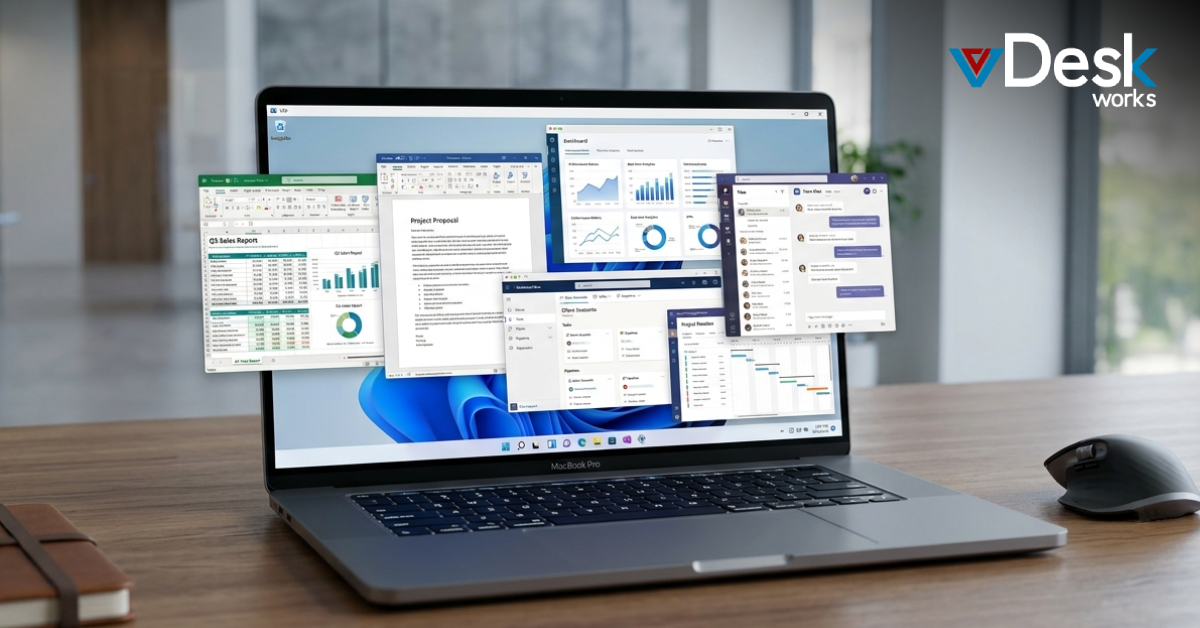
Instead of running Windows on the Mac itself or connecting to a separate machine, Cloud PC delivers a full Windows desktop environment directly through the cloud. This environment is accessible via a browser or lightweight client, making it easy for Mac users to access Windows applications instantly.
Because the computing power is hosted in the cloud, performance remains consistent regardless of the device being used. Whether a user is on a MacBook, iMac, or even a lower-spec device, the experience remains the same.
This eliminates the need for dual-boot setups, virtualization software, or complicated remote desktop configurations.
Consistency Without Compromise
One of the biggest advantages of Cloud PC is consistency.
With traditional methods, performance can vary depending on hardware, network quality, or system configuration. Cloud PC removes this variability by centralizing the environment.
Every user accesses the same setup, with the same applications and performance levels, regardless of location or device. This is particularly beneficial for organizations that need to maintain standardization across teams.
It also simplifies onboarding. New users can access their workspaces immediately without going through lengthy installation or configuration processes.
Security and Control in a Centralized Environment
Security is another area where Cloud PC offers a clear advantage.
Instead of storing data on individual devices, all information remains within a centralized cloud environment. This reduces the risk of data loss, unauthorized access, or device-related vulnerabilities.
IT teams can enforce security policies, manage access, and monitor usage from a single platform. This level of control is difficult to achieve with traditional setups, where data is spread across multiple endpoints.
For organizations handling sensitive information, this centralized approach is both practical and necessary.
Why vDeskWorks Cloud PC is Ideal for Mac Users?
For businesses looking to provide seamless Windows access on Mac devices, vDeskWorks Cloud PC offers a modern and efficient solution.
vDeskWorks delivers fully managed Windows desktops through the cloud, allowing Mac users to access all their applications without installing additional software or managing complex environments. The experience is consistent, responsive, and accessible from anywhere.
From an IT perspective, vDeskWorks simplifies management by centralizing desktops, applications, and security controls. This reduces operational overhead and ensures that users always have access to a reliable workspace.
It also enables scalability, allowing organizations to onboard new users quickly and adjust resources based on demand.
By removing the barriers between macOS and Windows, vDeskWorks creates a unified workspace that supports productivity across platforms.
Bridging the Gap Between macOS and Windows
The divide between macOS and Windows has existed for decades, but the way we approach it is changing.
Instead of forcing users to adapt to different systems, Cloud PC allows organizations to deliver the tools they need in a way that is simple and accessible.
Mac users no longer need to compromise performance or rely on complex setups to run Windows applications.
A More Flexible Future for Cross-Platform Work
As work environments continue to evolve, flexibility and simplicity are becoming essential.
Cloud PC provides a solution that aligns with these needs, offering seamless access to Windows applications without the limitations of traditional methods.
For organizations supporting Mac users, it is not just a workaround—it is a long-term strategy.
And with platforms like vDeskWorks Cloud PC, that strategy becomes easier to implement, manage, and scale.
 Emma Carson