The modern workplace has moved beyond the traditional idea of employees working from a company-owned computer inside a corporate office. Hybrid teams, remote employees, contractors, distributed offices, BYOD environments, and geographically dispersed workforces have become part of everyday business operations.
At the same time, organizations are under increasing pressure to protect business data, control IT spending, support employees across multiple locations, and provide reliable access to applications without making every employee dependent on a particular physical device.
This has made desktop virtualization an increasingly important part of modern IT strategy.
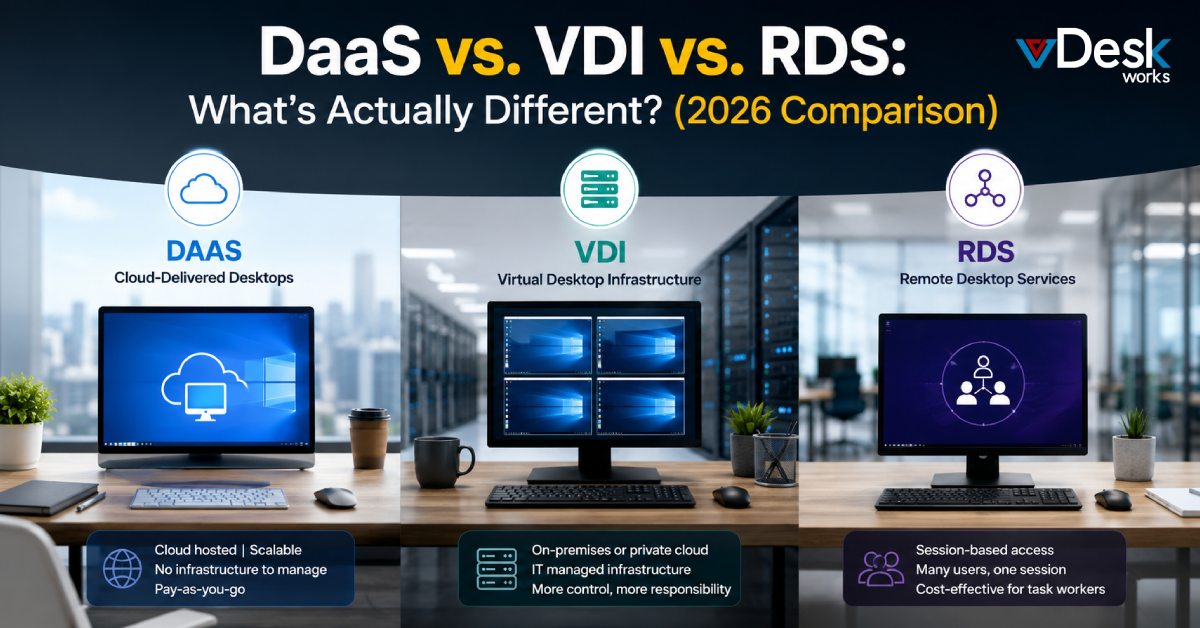
Three technologies frequently appear in these conversations: VDI, RDS, and DaaS. Although they can all provide remote access to desktops or applications, they are not interchangeable. Their underlying architectures, management responsibilities, resource allocation, cost structures, and ideal use cases can be significantly different.
The simplest way to understand the distinction is this:
- VDI provides individual virtual machines with dedicated operating environments.
- RDS allows multiple users to share sessions on a common server operating system.
- DaaS delivers cloud-hosted virtual desktops as a managed service, with the provider handling much of the underlying infrastructure.
Understanding these differences is important because the wrong architecture can create unnecessary costs, management complexity, performance limitations, or security challenges.
What Is Virtual Desktop Infrastructure (VDI)?
Virtual Desktop Infrastructure (VDI) is a desktop virtualization model in which virtual desktop environments run on centralized physical or cloud infrastructure. Instead of installing an operating system and applications directly on every employee's physical computer, the organization creates virtual machines that users access remotely.
A typical VDI environment gives each user an individual virtual machine. The VM has its own operating system, applications, allocated computing resources, and configuration.
The infrastructure can be deployed within an organization's own data center or private cloud environment, depending on the company's requirements.
How VDI Works
A VDI environment generally combines:
- Virtual machines
- Hypervisors
- Servers
- Storage
- Networking
- Desktop operating systems
- Application delivery
- Remote access technologies
- Centralized management tools
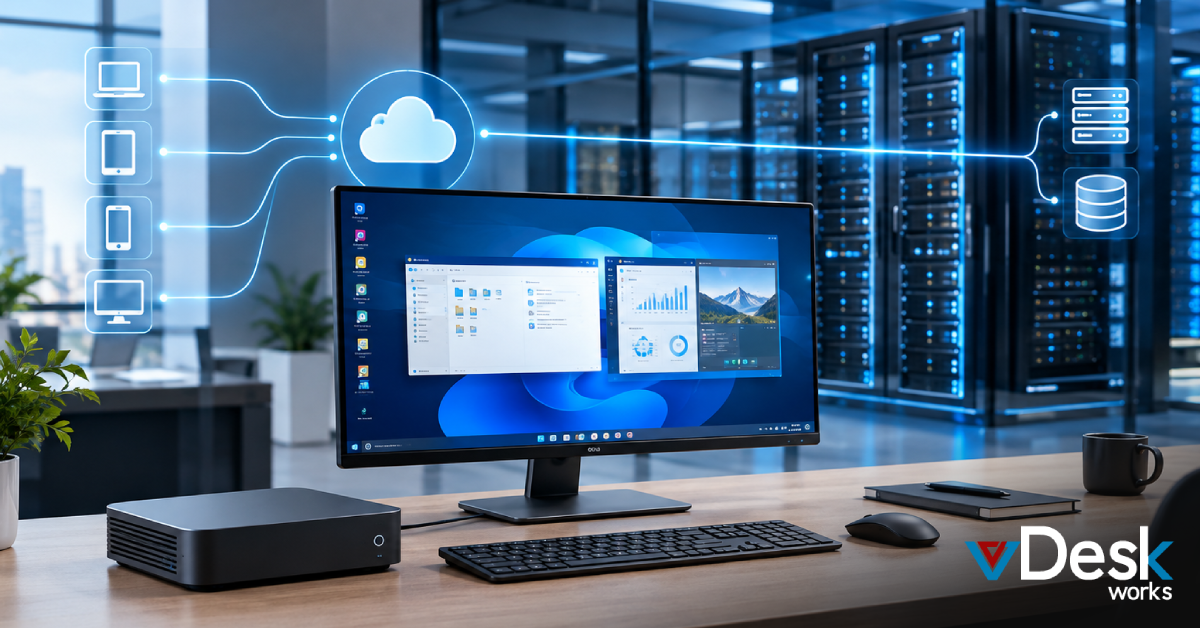
When an employee signs in, the system connects that user to their assigned virtual desktop. The processing and storage take place within the centralized environment rather than entirely on the employee's physical device.
This creates a consistent desktop experience across different endpoints.
For example, an employee could access the same business desktop from a laptop at home, a workstation in the office, or another supported device while the organization's core environment remains centrally controlled.
What Are Remote Desktop Services (RDS)?
Remote Desktop Services (RDS) is Microsoft's session-based approach to remote desktop and application delivery.
Instead of creating a separate virtual machine for every employee, RDS allows multiple users to connect to a shared Windows Server environment.
Each user receives an individual session, but those sessions operate on the same underlying operating system.
This architectural difference is one of the most important distinctions between RDS and traditional VDI.
How RDS Works
RDS uses remote access technologies, including Remote Desktop Protocol (RDP), to deliver applications or desktop sessions to users.
A simplified RDS environment can work like this:
- Applications and the operating system are installed on a central server.
- Multiple employees connect to that server.
- Each employee receives an independent user session.
- Computing resources are shared across those sessions.
- Applications are processed centrally and displayed on the user's endpoint.
Because users share the same operating system environment, organizations can support many users without creating a dedicated VM for every employee.
What Is Desktop as a Service (DaaS)?
Desktop as a Service (DaaS) takes the virtual desktop concept and delivers it through a cloud-based, provider-managed service model.
Instead of purchasing and maintaining the complete infrastructure required to operate virtual desktops, a business obtains virtual desktops from a DaaS provider.
The provider manages much of the underlying infrastructure, while the organization manages its users, applications, policies, and business requirements through the service.
This changes the question from:
"How do we build and operate our own virtual desktop infrastructure?"
to:
"How can we provide secure, managed virtual desktops without taking on the entire infrastructure burden?"
That distinction is especially relevant in 2026.
How DaaS Works
A DaaS platform generally provides cloud-hosted desktops that employees can access through supported devices.
Depending on the provider and service configuration, employees may connect through:
- Windows computers
- Mac computers
- Linux systems
- Mobile devices
- Web browsers
- Thin clients
- Other supported endpoints
The backend infrastructure is operated by the service provider.
This can reduce the need for businesses to purchase and maintain physical servers, storage infrastructure, virtualization platforms, and other components required for a traditional private VDI deployment.
Cost Comparison: DaaS vs. VDI vs. RDS
Cost is often one of the biggest factors influencing desktop virtualization decisions.
VDI Cost Structure
Traditional VDI can require substantial upfront investment.
Organizations may need to account for:
- Servers
- Storage
- Networking
- Virtualization software
- Desktop operating system licensing
- Security infrastructure
- Backup systems
- IT personnel
- Maintenance
- Hardware refresh cycles
This makes VDI more infrastructure-intensive, particularly for organizations building an environment from scratch.
RDS Cost Structure
RDS can reduce infrastructure requirements because multiple users share a server operating system.
Instead of assigning an entire VM to each employee, businesses can consolidate workloads into fewer servers.
This can make RDS particularly economical for standardized users.
DaaS Cost Structure
DaaS generally operates through a subscription model.
Instead of purchasing and maintaining the entire desktop infrastructure, the organization pays for the service based on its chosen configuration and usage model.
This can convert significant infrastructure expenditure into a more predictable operating expense.
For businesses that value predictable budgeting and rapid scalability, this can be a significant advantage.
How vDeskWorks Fits Into the DaaS Model
For organizations evaluating Virtual Desktop Solutions, vDeskWorks provides a cloud-based approach to delivering business desktops without requiring companies to build their entire virtual desktop infrastructure from the ground up.
The platform is designed around centralized desktop management, remote access, scalability, and support for distributed users.
Businesses can access virtual desktop environments across supported devices and manage their desktop infrastructure through a centralized approach.
For organizations comparing DaaS vs VDI vs RDS, this distinction is particularly important.
The objective is not simply to replace a physical PC with a virtual one. The larger goal is to create a desktop environment that is easier to deploy, manage, secure, scale, and support as business requirements change.
With features such as cloud-hosted virtual desktops, centralized administration, remote support, cross-platform access, and flexible deployment capabilities, vDeskWorks can serve as a practical option for organizations considering a managed Desktop as a Service strategy.
Final Verdict: DaaS, VDI, or RDS?
In 2026, the strongest desktop strategy is not necessarily the one with the most sophisticated infrastructure. It is the one that aligns technology with the way the business actually operates.
For organizations that want the flexibility of cloud desktops without taking on the complete burden of building and maintaining traditional desktop infrastructure, DaaS can provide a compelling path forward.
As businesses continue moving toward flexible workforces and cloud-first IT environments, Desktop as a Service, Virtual Desktop Infrastructure, and Remote Desktop Services will remain important technologies, but understanding the difference between them is what allows organizations to make the right investment.
Book a live demo at www.vdeskworks.com/live-demo-client.
 Emma Carson