See the Amazing Benefits of our Cloud PC in 2026
Live Demo Talk to an expert: 650-461-9170
vDesk.works vs Dizzion
| Features |  |
Dizzion for Business |
| Remote Desktop Services (Session Base) | ✔ | ✔ |
| Personal VDI | ✔ | ✔ |
| Pooled VDI | ✔ | ❌ |
| Operating System | For RDS - Server 2016, Server 2012 R2, Server 2008 R2, Server 2003 For VDI – Windows 7, 8, 10 | For RDS - Server 2016, Server 2012 R2, For VDI – Windows 7, 8, 10 |
| Protocol | RDP Over Https | RDP |
| GENERAL FEATURES | vDesk.works | Dizzion |
| Seamless Application Publishing | ✔ | ❌ |
| Seamless Desktop Publishing | ✔ | ❌ |
| Session Load Balancing | ✔ | ✔ |
| Publish Folder | ✔ | ❌ |
| Web Based Application Access (HTML5) | ✔ | ✔ |
| Universal Printing | ✔ | ✔ |
| Managing Connection Policies | ✔ | ❌ |
| Robust High-Availability | ✔ | ❌ |
| User Profile Disk (UPD) | ✔ | ❌ |
| SECURITY FEATURES | vDesk.works | Dizzion |
| FIPS Compliant | ✔ | ✔ |
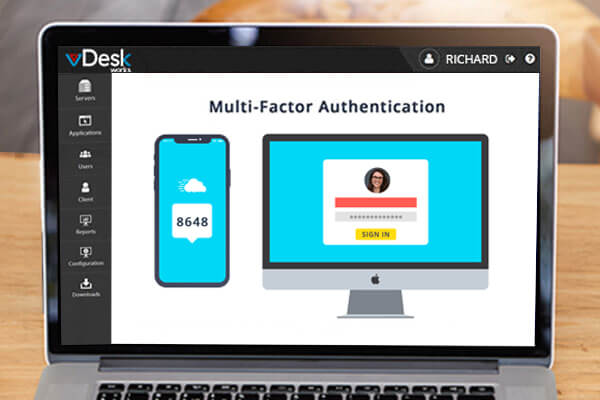
| Multi-Factor Authentication | ✔ | ✔ |
| SSL Gateway | ✔ | ✔ |
| Proxy Support | ✔ | ✔ |
| Pass-Through Authentication | ✔ | ✔ |
| AD Based Security Policies | ✔ | ✔ |
| Lockdown Policies | ✔ | ✔ |
| MANAGEMENT FEATURES | vDesk.works | Dizzion |
| Fully Functional Web Management | ✔ | ✔ |
| Graphical Dashboard Monitoring | ✔ | ✔ |
| One-Click Server Deployment | ✔ | ❌ |
| System Health Monitoring | ✔ | ✔ |
| Audit Logging | ✔ | ✔ |
| Email Notifications | ✔ | ✔ |
| Reporting | ✔ | ✔ |
| Single Tap Add or Remove Servers Roles | ✔ | ❌ |
| PROVISIONING AND INTEGRATION | vDesk.works | Dizzion |
| Hybrid Cloud Provisioning | ✔ | ✔ |
| Microsoft Azure Integration | ✔ | ❌ |
| Enterprise Scalability | ✔ | ✔ |
| HIGH PERFORMANCE ACCESS | vDesk.works | Dizzion |
| HDX / RemoteFX Experience Optimization | ✔ | ✔ |
| Browser Content Redirection (Audio & Video) | ✔ | ❌ |
| INSTALLATION | vDesk.works | Dizzion |
| Simplified Deployment | ✔ | ❌ |
| Disaster Recovery from Database | ✔ | ✔ |
| Integrated Licensing Console | ✔ | ❌ |
| x64 Compatibility | ✔ | ✔ |
| CLIENT PLATFORMS | vDesk.works | Dizzion |
| Windows XP, 7, 8.x, 10 | ✔ | ✔ |
| Mac | ✔ | ✔ |
| Linux | ✔ | ✔ |
| iOS / Android | ✔ | ✔ |
| Chromebook | ✔ | ❌ |
| HTML5 - Supported on Browser | ✔ | ❌ |
| Rdp Client (MSTSC) | ✔ | ✔ |
| CLIENT FEATURES | vDesk.works | Dizzion |
| Easy One-Click Access | ✔ | ❌ |
| Full-Screen Applications | ✔ | ✔ |
| Optimized Screen Resolution | ✔ | ❌ |
| Client Drive / Printer Mapping | ✔ | ✔ |
| Disconnected / Active Session View | ✔ | ✔ |
| Web Based Client | ✔ | ❌ |
| ADD-ON SERVICES | vDesk.works | Dizzion |
| Office 2016, 2019 or Office 365 | ✔ | ❌ |
| AntiSpam & Malware Protection | ✔ | ✔ |
| QuickBooks | ✔ | ❌ |
| Backup (Snapshot) | ✔ | ✔ |
| Dedicated Firewall | ✔ | ❌ |
| REMOTE SUPPORT | vDesk.works | Dizzion |
| Shadowing | ✔ | ❌ |
| Remote Management | ✔ | ✔ |
| Remote Monitoring | ✔ | ✔ |
| TECHNICAL SUPPORT | vDesk.works | Dizzion |
| Email Support | ✔ | ✔ |
| Ticketing Support | ✔ | ✔ |
| Live Chat | ✔ | ✔ |
| Remote Session Support | ✔ | ❌ |
Access the fastest and most secure DaaS Cloud PC with vDesk. Our Desktop as a Service will help you grow your business by transforming all of your devices into a powerful and affordable desktop that you can access anywhere.

Easy to manage and deploy
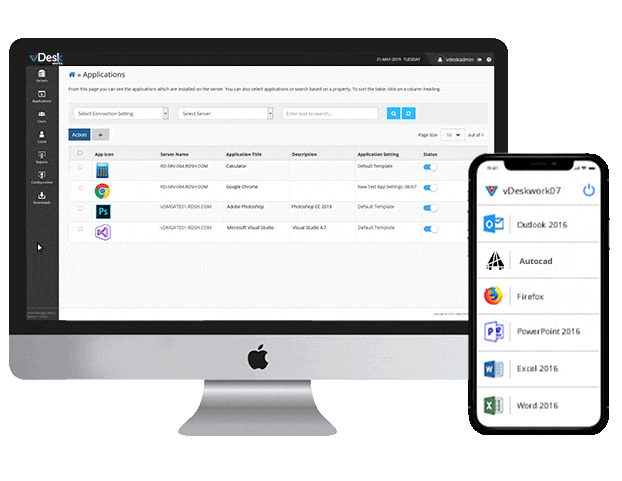
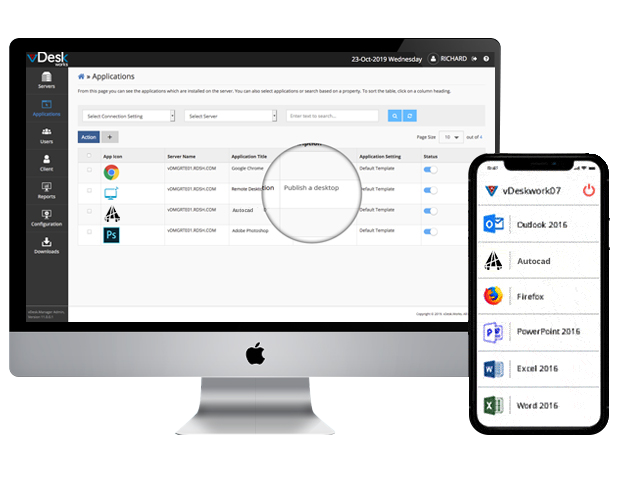
Create and manage cloud desktops and users. 24/7 help desk support
Secure
Encrypted data access and transfer
Data Loss Prevention
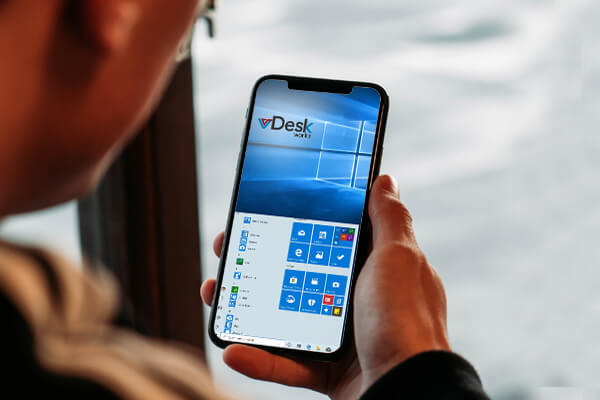
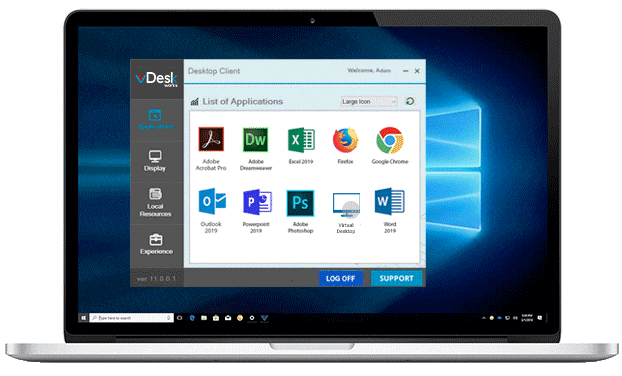
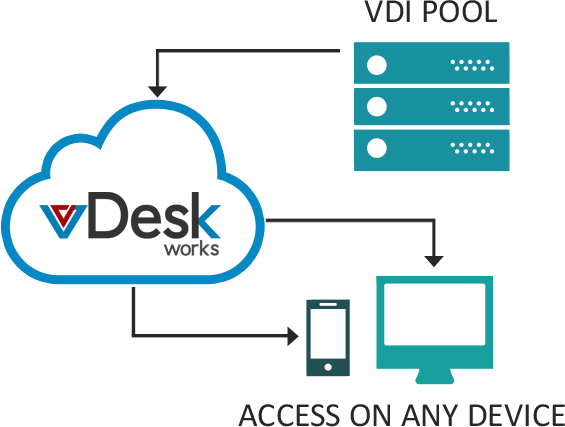
Works on any device
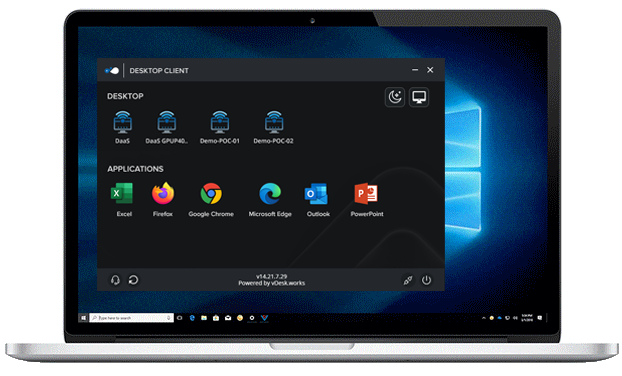
Collaborate anytime, anywhere using browsers or desktop clients
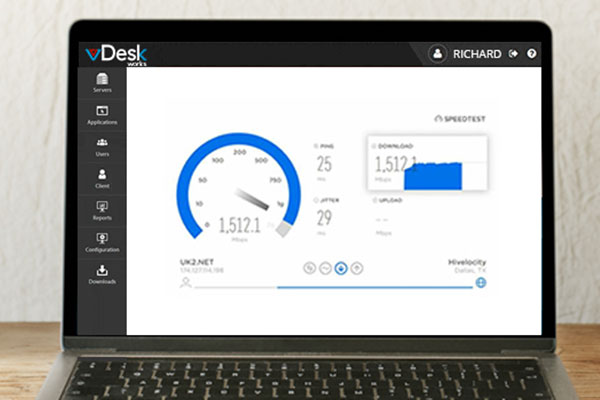
Fast
2X faster than a normal PC
Enterprise-Grade Hardware & Network Infrastructure
Advanced Security
Access Control
- Prevent unauthorized remote access to confidential network information through advanced access control.
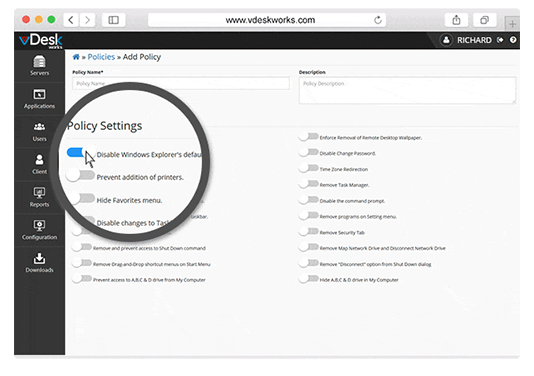
Granular Client Policies
- vDesk.works allows you to secure corporate data by enforcing client policies. These policies can be applied to a specific user, an Active Directory group, or the end-user device.
Secure Hosting Environment
- High availability, secure cloud-hosted server farms with zero downtime.
- Users access virtual desktops through secure gateways. The secure desktop enables bring-your-own-device (BYOD) environments.
- vDesk.works further ensures user's security by implementing multifactor authentication (MFA).
Remote Assistance
Remote Assistance and Session Shadowing
- Through vDesk.works Remote Assistance and shadowing tool, the administrator can take remote control of the session with the user's permission.
Remote Support
- vDesk.works Remote Assistance is a convenient way for a technical support team to connect to any remote desktop and provide the user with a quick solution.
The Future is Cloud
- Transform any device into a powerful, secure desktop
Easy and Affordable Upgrades
- Single click performance, speed, and memory upgrades
- Older devices revitalized
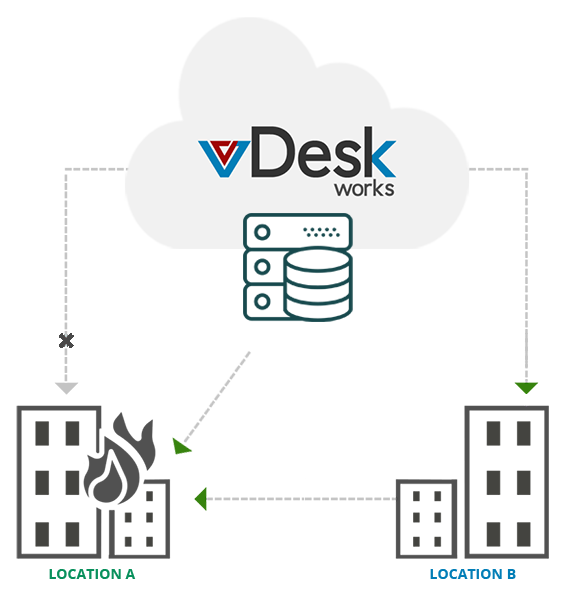
Business Continuity & Disaster Recovery
- High availability with multi-cloud resilience
- Recover systems and networks
- Minimize work disruption
- Customizable backup schedule
- Enhanced business resiliency
Exceptional User Experience
- Customizable environment
- Use any HTML5 Browser
- Continue working from where you left off last
- Access your desktop on the go
Access On-Prem Resources
- Share local file server through a secure portal
- Secure cloud access to physical machines
- Share data from physical computers to virtual desktops
- Share local printers and other network devices
Cutting-Edge Technology
Automation with PowerShell API
- vDesk.works PowerShell API automates complex and repetitive tasks with PowerShell cmdlets with the corresponding parameters.
Session Load Balancing
- vDesk.works manages session-based load balancing. Routing client requests across all servers capable of fulfilling those requests quickly and efficiently
GPU Backed VDI
- Increase productivity and immersive experience in Adobe and Autodesk products.
Backup and Restoration
Eliminating Backup Complications
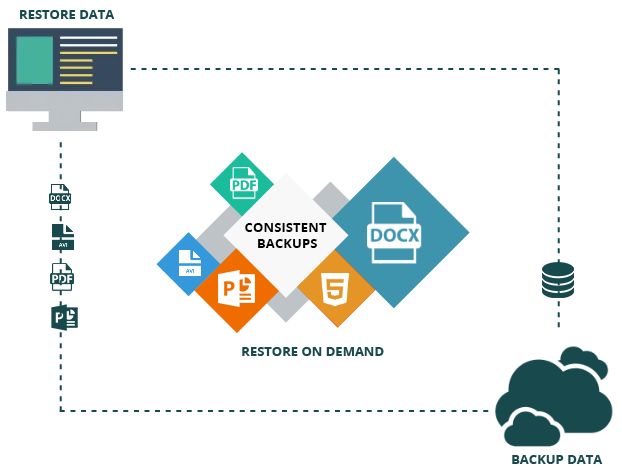
- Local data backups cannot always restore all of a system's data and settings. For example, computer clusters, active directory servers, or database servers may need additional forms of disaster recovery solutions.
- vDesk.works eliminates this cumbersome process as data remains secure on its safe environment.
Set Backup Intervals
- With vDesk.works infrastructure, you can choose the frequency of data backup intervals, whether its incremental backups or snapshots of VM we got you covered.
- It's common in some instances that accidental deletions or database corruption might occur.
- Our state of the art backup procedures will have you back up and running in no time.
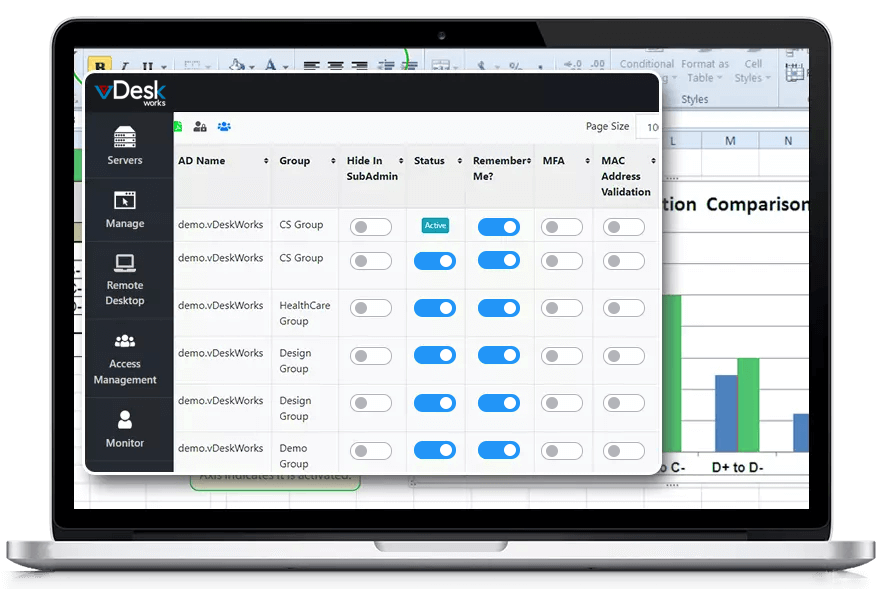
Interactive Dashboard
Visualize with one glance
- Visualize with one glance
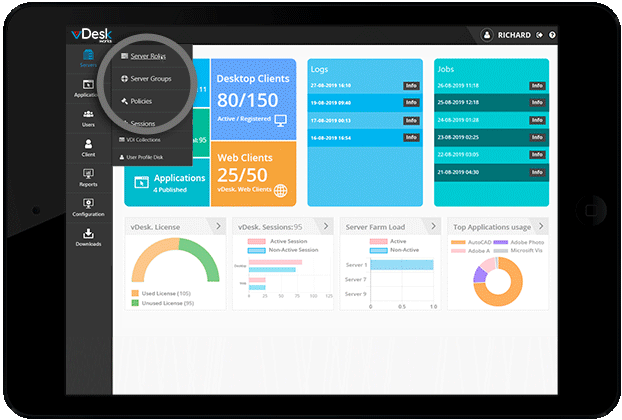
- Server farm health, logs, reports, application usage, etc.
- Intuitive orientation and navigation
Centralized Management
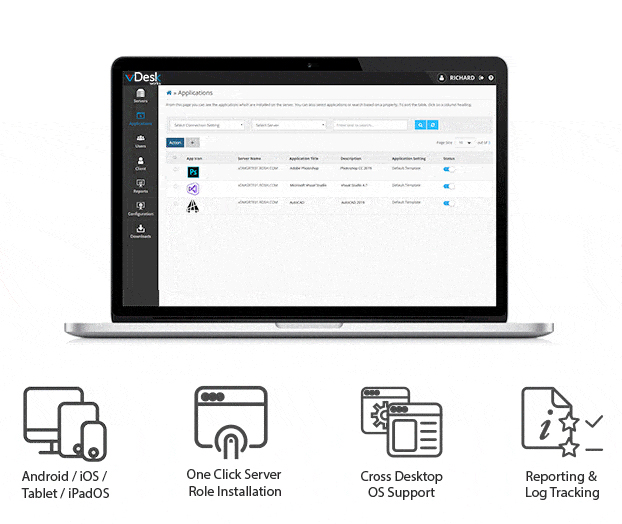
One-Click Server Role Installation
- Management Console provides options to assign server roles with a single click. Role management becomes easy with this feature.
Load Balancing
- vDesk.works Load Balancers identify in real-time which server can best meet client requests while ensuring heavy network traffic doesn't overwhelm the server.
Publish RDC of Physical System
- Remote Desktop Connection is a Microsoft product that allows you to connect to remote computers. RDC can minimize the need to have separate devices.
See the Amazing Benefits of our Virtual PC in 2022
What Industry Leaders Say About Us
-
I am usually on the road, meeting new clients, demonstrating to them our product, and working with my pre-sales team over remote locations. vDeskWorks gave our team a perfect platform to access their personal desktop on Chromebooks, tablets, and phones.
Kelvin Justice
GLF Technologies
-
We were introduced to vDeskWorks, which has helped our clients manage their day-to-day operations and leverage the performance we have both on the front-end and back-end.
Chris Salyers
Yottabyte
-
Our contractors working on remote sites could not access the centralized data and work within our solution. vDeskWorks solution has enabled us to take our LAN-bound accounting solution to the cloud. Our contractors have access to our centralized account books in a secure environment wherever we go.
Sal Kler
Austwide Invest
Trusted By Industry Leaders Worldwide